


Animate an authorized still
Begin with an adult portrait you have permission to use. Ask for a small expression or hair movement while keeping the close crop and blue styling steady.
Plan · Authorized imageMotion · Slow dolly-in
Create adult AI videos from original text prompts or images you are authorized to animate. Explore the studio and video examples for free; sign in and review Credits before generating.
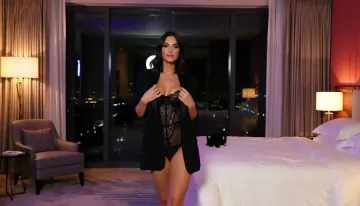
This example's settings are illustrative. Open the studio to see currently available models, settings, and Credit estimates. Sign in to submit a generation.
Start with Lured AI using an authorized adult image or lawful text prompt, choose the live settings, and track your NSFW video in three clear steps.
Use source media you have permission to use, then describe the adult scene or intended motion.
Compare the live model's duration, aspect ratio, resolution, and Credit estimate.
Confirm the Credit estimate, generate, then track the result in your Workspace.
These three recorded text-to-video requests produced the clips below. Read a direction, then write your version in Text to Video. For Image to Video, start with an authorized source image.
Recorded text-to-video studies · see Demo notes for prompts and file details
Three Lured AI clips illustrate different shot ideas. Treat these as visual references; their original generation inputs are not documented in the Demo notes.
Begin with an adult portrait you have permission to use. Ask for a small expression or hair movement while keeping the close crop and blue styling steady.
Follow an adult walking along a palm-lined boardwalk. Keep the sideways camera pace even and the shoreline visible behind the subject.
Begin behind the adult performer against red theater curtains. Let one measured turn reveal her profile while the camera holds the stage context.
Subscribe to unlock Premium generation options and keep completed generations without automatic expiry. Without an active subscription, completed results remain available for 7 days; one-time Packs add non-expiring Credits but do not extend media retention.
Start with Credits that refresh every 30 days and full Premium access throughout your selected paid term.
Billed $149.90 yearly
145 credits each allocation period
SubscribeCreate more often with a larger monthly allowance and full Premium access throughout each paid period.
Billed $299.90 yearly
390 credits each allocation period
SubscribeOur largest monthly allowance for intensive creation, with full Premium access throughout each paid period.
Billed $599.90 yearly
975 credits each allocation period
SubscribeSix new directions drawn from what the three finished showcase clips visibly show. Each isolates a decision you can change in your own prompt. These are writing examples, not the original generation requests or a promise of the same result.
A fictional adult crosses a violet lounge in one measured step. Track beside her at walking speed; hold the frame from head to knees so the windows move behind her.

Keep the rain-streaked windows violet and the lamps amber. Let the dark outfit sit between them; avoid adding a third color that competes with the subject.

Open wide enough to show the adult performer on the theater stage. Move in slowly during her entrance, then stop before the gown or hands leave the frame.

Dress the fictional adult performer in a complete champagne gown. Ask for one shoulder turn so its surface catches the amber stage lights without changing costume mid-shot.

On a moonlit rooftop, have the fictional adult turn toward camera, pause, then take one step forward. Keep the roofline stable so the change in pose is easy to see.

Let the blue robe move in a light breeze as the adult subject turns. Keep the moonlit roof and reflections still enough for the fabric motion to remain legible.

Clear answers about adult video scope, text-to-video, image-to-video, available settings, Credits, and consent-first creation.
Lured AI is for adults creating adult AI videos from text prompts or authorized images. Requests involving nudity or sexual activity depend on the selected model’s current content rules; acceptance is not guaranteed. The recorded showcase clips demonstrate non-explicit motion scenes, not explicit output.
Open Create video, select an available image-to-video setup, upload your authorized source image, and add a focused motion prompt. Review the model's available duration, aspect ratio, resolution, and Credit estimate before you generate.
Yes, when text-to-video is available in the live Catalog. Describe the adult scene, intended action, camera movement, lighting, and style, then review the settings and Credit estimate shown for that model before generating.
Start with a clear, authorized image and ask for one deliberate movement or camera direction at a time. Keep the motion prompt specific, then use the model settings currently available to test duration, framing, and output quality.
The Credit estimate is shown before you generate. It is based on the selected live model and output configuration, so you can review the current requirement before starting a task.
Only if you have the rights and informed consent required for the intended use. Never upload a minor, someone whose adulthood is unclear, non-consensual intimate material, or a real person's likeness for unauthorized impersonation.
You can watch the public demos, browse prompt examples, read the guides, and explore available creation tools without purchasing Credits. Preparing a prompt does not run a generation. Sign in to submit a generation, and review the Credit estimate for the selected model. Free browsing does not mean unlimited or zero-cost generation.
Explore the tools for free. Bring an original idea or an authorized adult image, choose a published model, and review the Credit estimate before submitting.